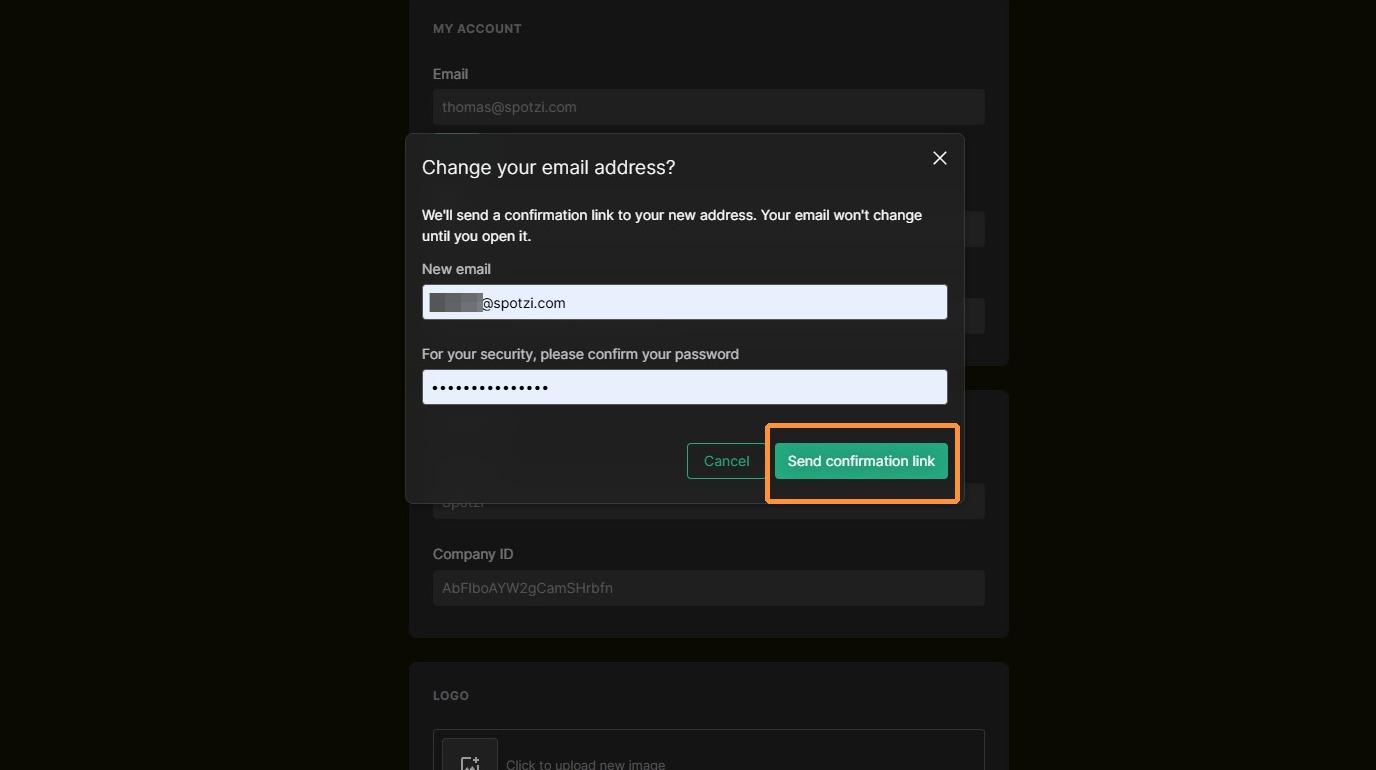
Learn how to access your user profile and modify email settings within the Spotzi workspace. This guide provides quick steps to locate your account information and manage confirmation preferences.
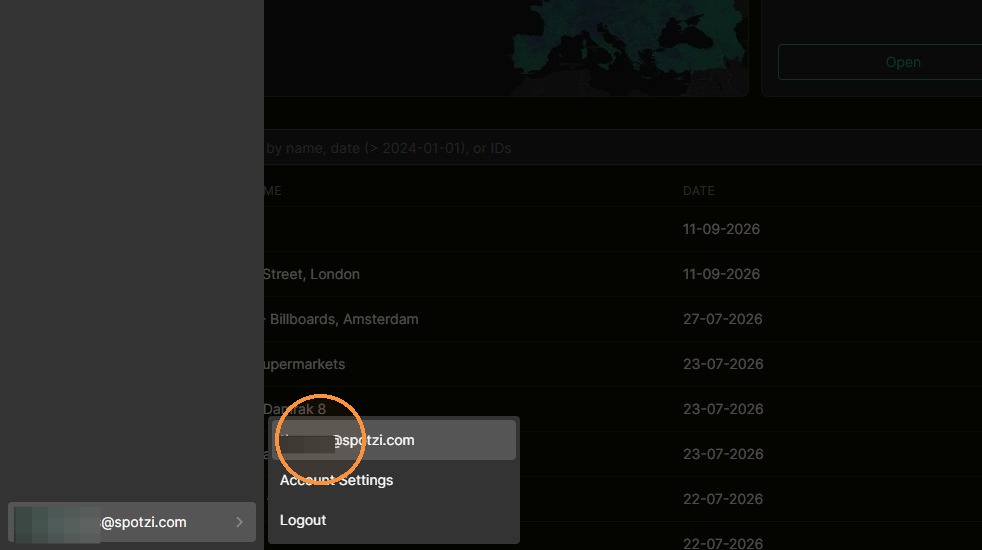
1. Navigate to the bottom of the left side of your screen.
<img src="https://colony-recorder.s3.us-west-1.amazonaws.com/files/2026-09-16/97a8f70b-a321-434e-9a93-9a2bdd19a159/user_cropped_screenshot_942d1ee7d93f4196963b346e41beb105_text_export.jpeg" alt="" width="982" height="550" />2\. Click on your email.
 3\. Click "Edit".
<img src="https://colony-recorder.s3.us-west-1.amazonaws.com/files/2026-09-16/7fc71383-34a2-4063-8e36-c840920b054f/user_cropped_screenshot_9c5032298ce2475dabc05a0b2c04ab4f_text_export.jpeg" alt="" width="980" height="547" />4\. Click the Email field, and change to a preferred e-mail.
<img src="https://colony-recorder.s3.us-west-1.amazonaws.com/files/2026-09-16/d1394b07-086e-4914-9adf-ad9d9f5364ec/user_cropped_screenshot_16cac4dfd5c847bbb19bebec79bea24d_text_export.jpeg" alt="" width="980" height="547" />5\. Click "Send confirmation link".